
Decoding modern car systems
I remember a time when fixing a car meant grabbing a wrench and maybe a feeler gauge. A persistent check engine light meant checking the basics – distributor cap, spark plugs, fuel filter. Those days are long gone. Modern cars are incredibly complex machines, packed with sensors, computers, and intricate electronic systems. What used to be a mechanical problem is now often a software glitch.
The shift has been gradual, but relentless. We've moved from carburetors to fuel injection, from points-based ignition to electronic ignition, and now to fully computerized engine management. This evolution has dramatically improved performance, fuel efficiency, and safety, but it's also made DIY repair more challenging. Older diagnostic methods, like simply listening to the engine or checking for obvious leaks, aren't enough to diagnose many issues.
Today’s vehicles are essentially computers on wheels, and to understand what’s going on under the hood, you need tools that can "talk’ to those computers. The onboard diagnostic system is the car’s way of telling you what’s wrong, but you need a scanner to interpret the messages. Smart diagnostic tools aren’t just a convenience; they"re becoming essential for anyone wanting to tackle car repairs themselves. Ignoring this shift means you're flying blind.
You don't need to replace your mechanic, but you can handle routine maintenance and catch problems before they get expensive. Learning these systems is the first step. You're just updating your toolbox for the way cars are built now.
OBD2 scanners are the foundation
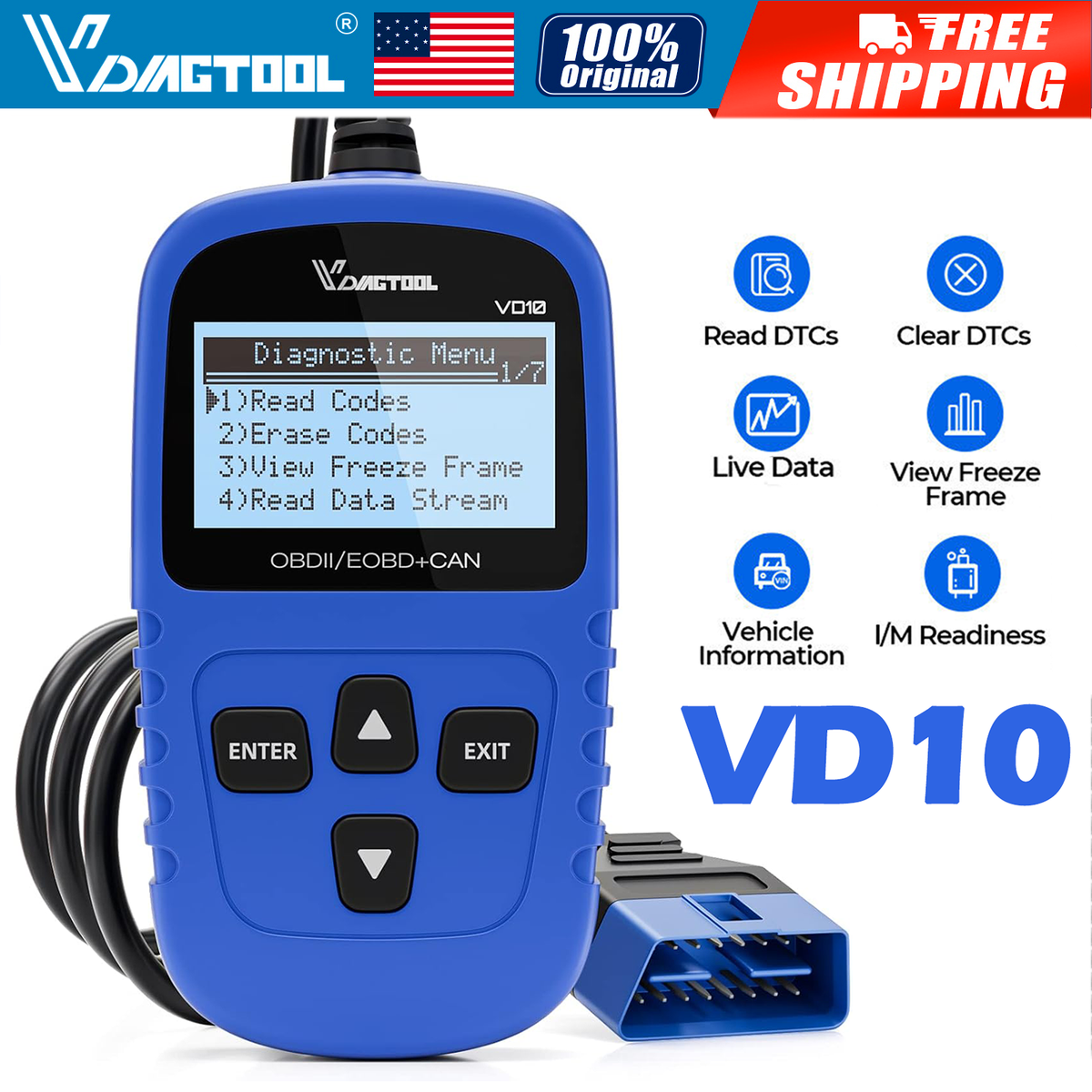
The On-Board Diagnostics II (OBD2) port is your gateway to understanding your car’s internal systems. Standardized in 1996 for all vehicles sold in the United States, it’s a 16-pin connector usually located under the dashboard. This port allows you to connect a scanner and retrieve diagnostic trouble codes (DTCs) that indicate what’s causing a problem. Think of it as your car’s way of saying, 'Hey, something isn’t right!'
A basic scanner reads and clears codes. Reading the code tells you what the computer thinks is wrong; clearing it resets the system so you can see if the light comes back. Clearing a code doesn't fix the car; it just erases the evidence. Most cars use the standard 16-pin port, but older ones might need an adapter.
Basic OBD2 scanners can range in price from around $20 to $100. At the lower end, you’ll get a simple code reader that can display and clear codes. Stepping up to the $50-$100 range will usually get you a scanner with a small display screen, the ability to store codes, and perhaps some basic vehicle information access. Even a relatively inexpensive scanner can save you a trip to the auto body shop for a simple issue like a loose gas cap.
Don't underestimate the power of a basic scanner. While they don't offer the advanced features of more expensive tools, they're a fantastic starting point for any DIY mechanic. They allow you to quickly diagnose common problems and decide whether you can tackle the repair yourself or if you need to take it to a professional. Knowing the code is half the battle.
- Basic scanners ($20-$100) read and clear codes using a small display.
- Mid-Range Scanners ($100-$200): Code storage, vehicle info access, potentially live data.
- Advanced Scanners ($200+): Enhanced diagnostics, bi-directional control, manufacturer-specific codes.
Popular OBD2 Scanners for DIY Mechanics (2026)
| Brand | Approximate Price Range | Key Features | Vehicle Compatibility | User Reviews (Average Rating) |
|---|---|---|---|---|
| Autel AutoLink AL319 | Around $50 - $80 | Reads and clears codes, freeze frame data, I/M readiness monitoring. | Most 1996 and newer domestic, Asian, and European vehicles. | 4.4 out of 5 stars (based on aggregated online reviews) |
| BlueDriver Bluetooth Pro OBDII Scan Tool | Approximately $100 - $150 | Reads and clears codes, provides repair reports, freeze frame data, live data streaming. | All 1996 and newer vehicles (domestic and import). | 4.6 out of 5 stars (based on aggregated online reviews) |
| FOXWELL NT301 OBD2 Scanner | Between $60 - $90 | Reads and clears codes, supports multiple languages, offers basic diagnostic functions. | Supports a wide range of vehicles, including those from the US, Europe, and Asia. | 4.3 out of 5 stars (based on aggregated online reviews) |
| Launch CReader 3001 | Roughly $70 - $110 | Reads and clears codes, displays live data, performs EVAP system tests. | Compatible with most 1996 and newer vehicles, including cars, trucks, and SUVs. | 4.2 out of 5 stars (based on aggregated online reviews) |
| EPAutotools OBD2 Scanner | Around $30 - $50 | Basic code reading and clearing, malfunction indicator light (MIL) control. | Supports most 1996 and newer vehicles. | 4.0 out of 5 stars (based on aggregated online reviews) |
Illustrative comparison based on the article research brief. Verify current pricing, limits, and product details in the official docs before relying on it.
Beyond Basic Codes: Enhanced Scanners
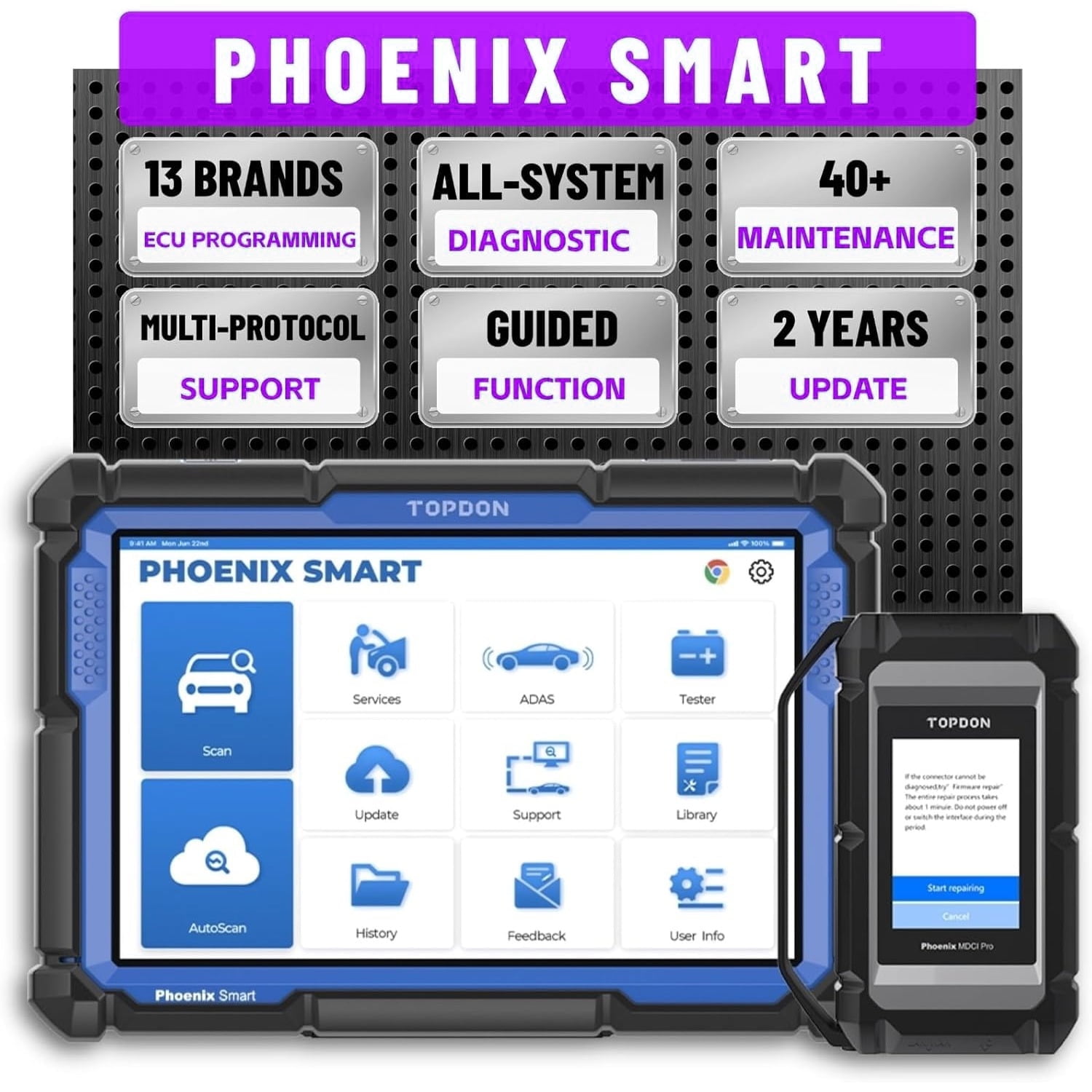
While a basic OBD2 scanner is a great starting point, enhanced scanners unlock a whole new level of diagnostic capability. These tools go beyond simply reading and clearing codes; they offer live data streaming, graphing, component testing, and access to manufacturer-specific codes. The price jump is significant, typically starting around $200 and going up from there, but the added functionality can be invaluable.
Live data streaming allows you to see real-time information from your car’s sensors – things like engine temperature, oxygen sensor readings, and fuel trim. This is incredibly helpful for pinpointing intermittent problems that don’t trigger a code, or for understanding how your engine is performing under different conditions. Graphing this data provides a visual representation of the sensor readings, making it easier to identify trends and anomalies.
Component testing allows you to activate specific components, like fuel injectors or cooling fans, to see if they're functioning properly. This can save you a lot of time and effort compared to manually testing each component. Bi-directional control takes this a step further, allowing you to command certain components to perform specific actions. For example, you might be able to cycle the ABS pump to test its operation.
Bi-directional control varies by brand. It is useful for testing specific parts without taking the car apart. Enhanced scanners also pull manufacturer-specific codes, which are more detailed than generic ones and usually point right to the root cause.
- Live Data Streaming: Real-time sensor readings.
- Graphing: Visual representation of data trends.
- Component Testing: Activate components for diagnosis.
- Bi-Directional Control: Command components to perform actions.
- Manufacturer-Specific Codes: Detailed diagnostic information.
Specialized tools for ABS and SRS
Diagnosing issues with your car’s Anti-lock Braking System (ABS) and Supplemental Restraint System (SRS – airbags) requires specialized tools and knowledge. These systems are critical for safety, and working on them incorrectly can have serious consequences. It’s not something to take lightly. Unlike basic engine management systems, ABS and SRS often require access to proprietary data and control functions.
These systems are far more complex than a simple engine issue. They involve intricate sensors, control modules, and actuators. A standard OBD2 scanner won’t be able to access the full range of diagnostic information needed to properly diagnose problems with these systems. You’ll need a scanner specifically designed for ABS and SRS diagnostics.
Safety is paramount when working with these systems. Airbags, for example, can deploy unexpectedly if not handled properly, causing serious injury. Disconnecting the battery is crucial before working on any SRS components. Always follow the manufacturer’s instructions and exercise extreme caution. Some scanners require additional modules or subscriptions to access ABS and SRS functionality.
Look for a scanner that specifically states it supports ABS and SRS diagnostics for your vehicle’s make and model. Features to look for include the ability to read and clear ABS/SRS codes, view live data, and perform component tests. Remember, this isn’t an area where you want to cut corners. If you’re not comfortable working on these systems, it’s best to leave it to a professional.
Smartphone diagnostic apps
Smartphone-based diagnostics have become increasingly popular in recent years, offering a convenient and affordable alternative to traditional scan tools. These systems typically consist of a small OBD2 adapter that plugs into your car’s diagnostic port and connects to your smartphone via Bluetooth or Wi-Fi. Paired with a compatible app, your phone can then read and clear codes, view live data, and perform other diagnostic functions.
The pros of this approach are clear: convenience, affordability, and portability. Many OBD2 adapters cost less than $30, and the apps are often free or relatively inexpensive. This makes smartphone-based diagnostics a great option for basic troubleshooting and maintenance. Popular apps include Torque Pro, OBD Fusion, and Car Scanner ELM OBD2. Each app offers a slightly different set of features and pricing plans.
However, smartphone-based solutions also have limitations. The functionality is often limited compared to dedicated scan tools, and the apps may not be as user-friendly. There are also security implications to consider. Connecting your car to your phone and the internet opens up the potential for hacking and data breaches. It’s important to choose reputable apps and adapters from trusted sources.
Smartphone-based diagnostics are excellent for basic checks and monitoring, but they may not be sufficient for more complex issues. They’re a good supplement to a dedicated scan tool, but shouldn’t be relied upon as your only diagnostic resource. It’s also worth noting that the Bluetooth connection can sometimes be unreliable, leading to dropped connections and lost data.
- Torque Pro is highly customizable for Android users.
- OBD Fusion (iOS & Android): User-friendly interface, good for beginners.
- Car Scanner ELM OBD2 (iOS & Android): Comprehensive diagnostics, supports a wide range of vehicles.
OBD2 Adapters for DIY Mechanics
- BlueDriver Bluetooth Pro OBDII Scan Tool - This adapter is known for its ease of use and comprehensive diagnostics, including access to repair solutions and verified fixes. It connects to both iOS and Android devices.
- ANCEL AD310 Classic Enhanced Universal OBD II Scanner - A budget-friendly option, the ANCEL AD310 provides basic OBD II diagnostics, including reading and clearing trouble codes. It’s compatible with a wide range of vehicles and works with both iOS and Android.
- Autel AutoLink AL319 OBDII Scanner - This scanner offers full OBDII functions and supports multiple languages. It’s known for its clear display and ease of navigation, and is compatible with iOS and Android devices.
- OBDLink MX+ - A more advanced adapter, the OBDLink MX+ boasts faster data transfer speeds and supports a wider range of vehicle protocols. It’s popular among users who need more in-depth diagnostics and is compatible with iOS and Android.
- Veepeak OBDCheck BLE+ Bluetooth OBDII Scanner - This compact and affordable adapter provides basic OBDII functions and is compatible with iOS and Android devices. It's a good option for users who need a simple, reliable scanner.
- Panlong OBD2 Scanner - A cost-effective choice, the Panlong scanner offers standard OBDII functionality and is compatible with most vehicles from 1996 onwards. It works with both iOS and Android platforms.
- Foxwell NT301 OBD2 Scanner - This scanner offers a wider range of features than basic options, including live data streaming and graphing. It supports multiple languages and is compatible with both iOS and Android devices.
Professional-Grade Tools: When to Upgrade
For the serious DIY mechanic, professional-grade scan tools represent the pinnacle of diagnostic capability. These tools offer advanced diagnostics, programming capabilities, access to repair information databases, and a level of functionality that simply isn’t available with consumer-level scanners. They come at a significant cost, however, often ranging from $1,000 to $5,000 or more.
There’s a key difference between a "snapshot’ tool and a ‘full-function" tool. A snapshot tool provides a limited set of diagnostic functions, while a full-function tool offers comprehensive coverage, including bi-directional control, module programming, and access to repair procedures. Full-function tools often require subscriptions to access the latest software and repair information.
The cost of these tools isn’t just the initial purchase price. You’ll also need to factor in the cost of software updates, subscriptions, and potentially training. Accessing repair information databases, like ALLDATA DIY, can add another $100-$200 per year. While the investment is substantial, it can pay for itself over time if you regularly work on cars.
However, be realistic about the learning curve. Professional-grade scan tools are complex and require a significant amount of training and experience to use effectively. They’re not plug-and-play devices. If you’re just starting out, it’s best to begin with a more affordable scanner and gradually upgrade as your skills and needs evolve. Consider whether the added functionality justifies the investment for your level of DIY repair.
How often do you perform DIY car repairs?
Vote below!

No comments yet. Be the first to share your thoughts!