

2026 cars: tech gone wrong?
I recently spoke with a driver who was nearly rear-ended because their 2026 sedan’s automatic emergency braking system decided a shadow was an imminent collision. It’s a frustrating scenario, and unfortunately, it’s becoming more common. Modern vehicles are packed with technology – more than ever before – and while that tech offers incredible convenience and safety features, it also introduces new points of failure.
We’re talking about a dramatic shift. Cars aren’t just mechanical machines anymore; they’re essentially computers on wheels. This means that alongside traditional car problems, owners are now facing issues with software glitches, sensor malfunctions, and complex system integrations. It's a trade-off, and a lot of people aren’t fully prepared for the downsides.
I check the NHTSA database every few months. It’s the only way to see if your specific VIN has an open recall for software bugs before they cause a wreck. Waiting for a letter in the mail is a gamble when your brakes rely on code.
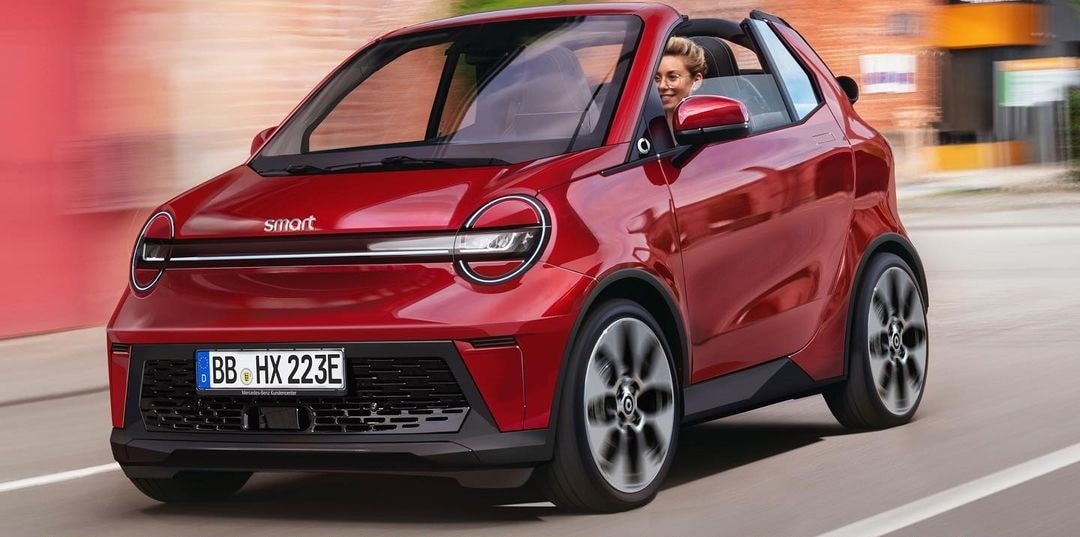
Infotainment glitches
The infotainment system is often the first point of interaction with a smart car, and it’s also a major source of frustration for many owners. Slow response times are a frequent complaint – nobody wants to wait 30 seconds for the navigation to recalculate a route. Bluetooth connectivity can be spotty, dropping connections with smartphones at the most inconvenient times.
Software glitches are another common issue. These can range from minor annoyances, like the system randomly restarting, to more serious problems, such as the screen freezing completely or draining the car’s battery overnight. Compatibility with Apple CarPlay and Android Auto isn’t always seamless either. Some systems struggle to maintain a stable connection, or simply don’t support all features.
A frozen screen is a safety hazard. If your backup camera or climate controls are buried in that software, you're stuck fumbling with a dead tablet while moving at 70 mph. Updates are supposed to fix this, but I've seen 2026 models get stuck in boot loops for hours after a failed download.
- Remove list entirely
- Bluetooth connectivity issues
- Software glitches and battery drain
- Smartphone compatibility problems (Apple CarPlay, Android Auto)
Keyless entry vulnerabilities
Keyless entry and start systems are incredibly convenient, but they’ve also opened up new avenues for car theft. Thieves are increasingly exploiting vulnerabilities in these systems using a technique called a relay attack. This involves using two devices to amplify the signal from your key fob, even when it’s inside your house, fooling the car into thinking the key is present.
The premise is simple: one device is held near your house to capture the signal from your key fob, while the other is used near your car to relay that signal. This tricks the car into unlocking and starting. It's a surprisingly easy process, and it's becoming more prevalent. This is a rapidly evolving threat, and automakers are constantly working to improve security.
There are preventative measures you can take. Storing your keys in a Faraday bag – a signal-blocking pouch – can prevent relay attacks. You can also disable the keyless entry function when you’re not using it, forcing you to use the physical key. Automakers are starting to incorporate new security features, like rolling code technology, but these aren’t yet standard on all vehicles.
Sensor failures
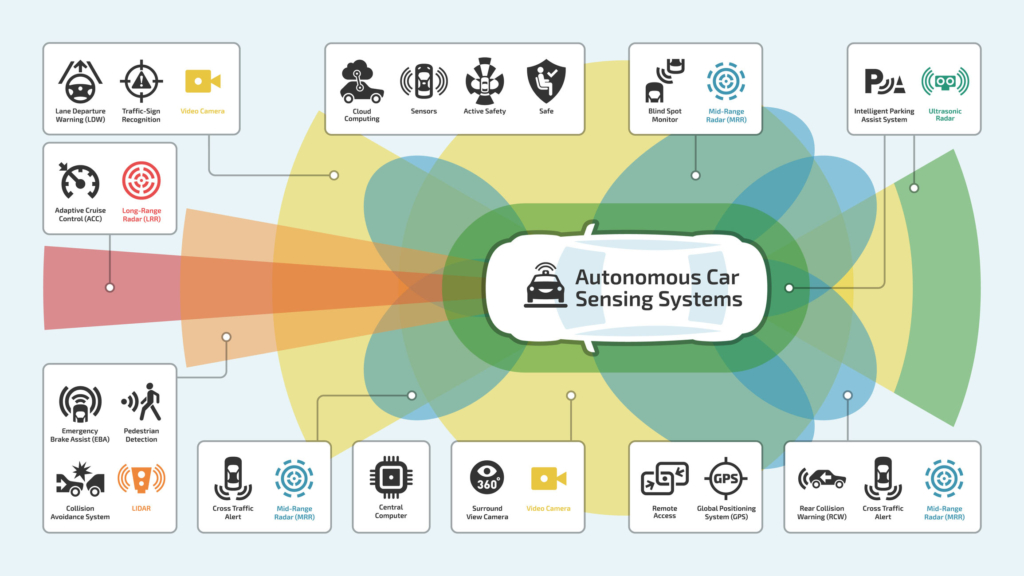
Modern vehicles are covered in sensors – parking sensors, blind spot monitoring sensors, rain sensors, and many more. These sensors provide valuable information to the car’s computer, but they’re also prone to failure. Common failure modes include corrosion, physical damage from road debris, and software glitches. Exposure to harsh weather can also accelerate sensor degradation.
When a sensor fails, it can lead to inaccurate readings and potentially dangerous situations. A malfunctioning parking sensor might not detect an obstacle, leading to a collision. A failed blind spot monitoring sensor could cause you to merge into another vehicle. These failures aren’t always obvious, which is why regular diagnostics are so important.
Replacing these sensors can be expensive, often costing several hundred dollars per sensor. And it’s not always a simple plug-and-play replacement; some sensors require coding to the car’s computer. Proper diagnostics are essential to pinpoint the exact sensor that’s failing and avoid unnecessary replacements.
Over-the-air updates
Over-the-air (OTA) software updates offer a convenient way to keep your car’s software up to date, but they’re not without risks. The benefits are clear: bug fixes, performance improvements, and new features can be delivered directly to your car without a trip to the dealership. However, updates failing mid-installation can leave your infotainment system unusable, or even "brick" it entirely.
Introducing new bugs is also a possibility. Sometimes, an update that’s intended to fix one problem can create new ones. It’s a frustrating experience, and it highlights the challenges of software development. Ensuring a stable internet connection during the update process is crucial, as interruptions can corrupt the installation.
Some owners prefer to avoid OTA updates altogether, fearing that they’ll introduce new problems. While this is understandable, it also means missing out on important bug fixes and security updates. It's a personal decision, but it’s important to weigh the risks and benefits carefully.
Electrical System Quirks
Modern vehicles have increasingly complex electrical systems, and this has led to new types of car problems. The increased electrical demands of features like infotainment systems, ADAS, and electric power steering can strain the car’s electrical system, leading to battery drain problems and alternator failures. A weak battery might not have enough power to start the car, especially in cold weather.
Wiring harness issues are also becoming more common. These harnesses are responsible for carrying power and data throughout the car, and they can be susceptible to corrosion, damage, and shorts. Adding aftermarket accessories – dashcams, radar detectors, and so on – can further strain the electrical system, especially if they’re not installed correctly.
Regular battery testing and maintenance are essential. Have your battery tested at least once a year, and replace it if it’s showing signs of weakness. The rise of electric vehicle technology has further complicated electrical systems, with high-voltage components requiring specialized knowledge and equipment for repair. It’s a good idea to have your electrical system inspected by a qualified mechanic if you notice any unusual behavior.
No comments yet. Be the first to share your thoughts!